Why did I get a protected message?
If you noted on the DMHC IMR/Complaint form that you would like communication/correspondence sent to your email, the DMHC will provide you with correspondence related to your complaint via a protected email. A protected email is an encrypted message that keeps information about you private. An email message protected by encryption makes sure you are the only person who can open and read the email. Your privacy is very important to us.
Opening a protected message with a One-time passcode
Using the "One-time passcode" option is the easiest and most efficient method for viewing your protected message. The instructions below are the same for both desktop and mobile experiences.
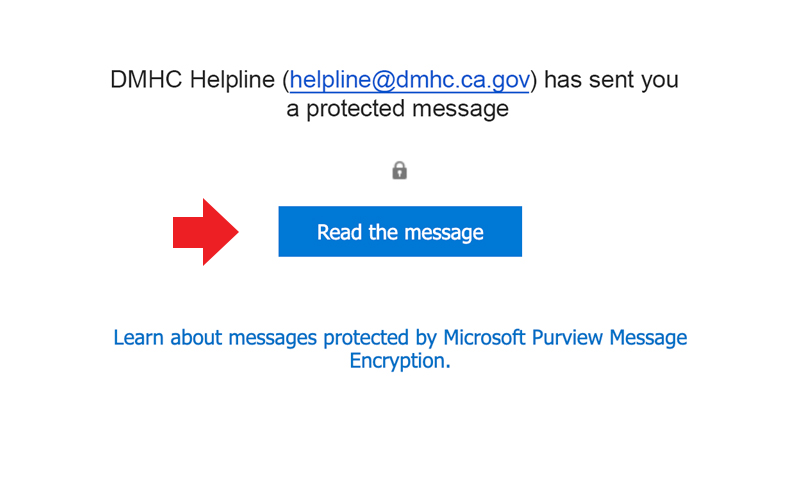
1. Click the "Read the message" button in your email.
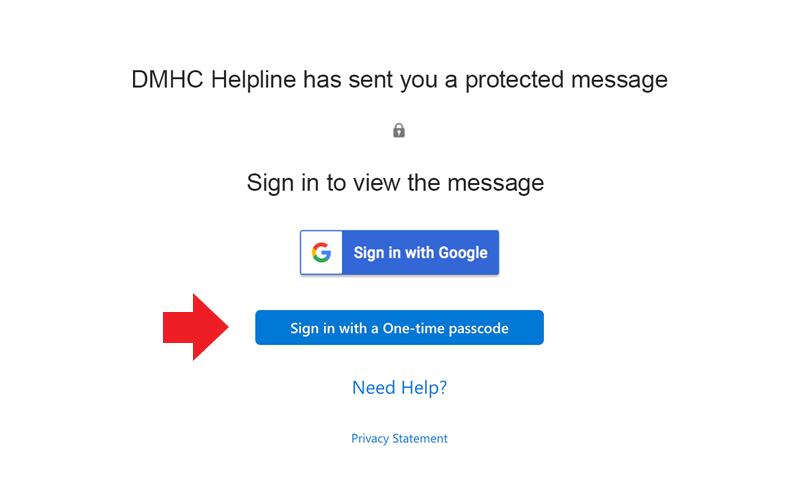
2. You will be redirected to a secure web page, click the "Sign in with a One-time passcode" button.
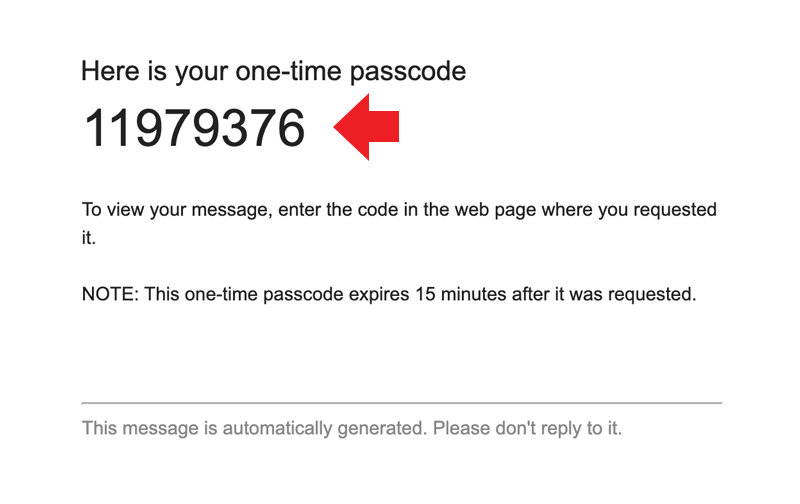
3. Check your email for the one-time passcode.
4. Return to your browser and enter the code in the "One-time passcode" field, then click "Continue" to read your message.
![We sent a one-time passcode to [email]. Please check your email, enter the one-time passcode and click continue. The one-time passcode will expire in 15 minutes. Enter your one-time passcode. Click Continue.](/portals/0/Docs/HC/ProtectedMessages/passcode-4.png "We sent a one-time passcode to [email]. Please check your email, enter the one-time passcode and click continue. The one-time passcode will expire in 15 minutes. Enter your one-time passcode. Click Continue.")